
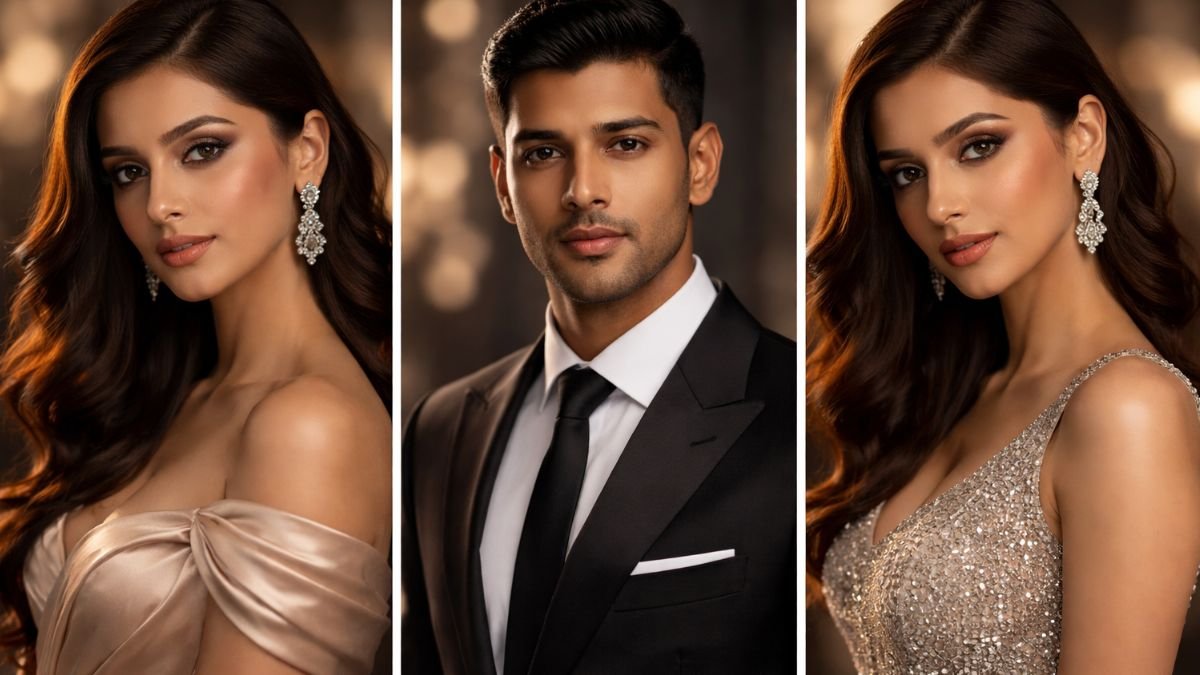
Creating professional studio-style portraits no longer requires expensive cameras, lighting equipment, or a physical studio.
With the power of Google Gemini AI prompts, you can generate stunning, high-quality portraits that look like they were captured by expert photographers.
Whether you’re a content creator, influencer, or just someone who loves visually appealing images, the right prompts can completely transform your results.
In this guide, we’ll explore the 10 best Google Gemini AI prompts to help you create polished, studio-quality portraits effortlessly.
Why Use Google Gemini AI for Studio Portraits?
AI tools like Google Gemini have revolutionized digital creativity. By using well-structured prompts, you can achieve:
- Professional lighting effects without real equipment
- High-resolution images suitable for social media or portfolios
- Creative control over backgrounds, outfits, and mood
- Time and cost savings compared to traditional photoshoots
The key lies in crafting prompts that mimic real photography setups.
10 Best Google Gemini AI Prompts for Studio-Style Portraits
Below are carefully crafted prompts designed to produce ultra-realistic, studio-quality portraits.
1. Classic Soft Light Studio Portrait
Prompt:
A professional studio portrait of a person with soft diffused lighting, neutral background, sharp facial details, DSLR quality, shallow depth of field, natural skin tones, ultra HD
This prompt is perfect for achieving a clean and timeless look often seen in corporate or professional headshots.
2. High-End Fashion Editorial Look
Prompt:
A high-fashion studio portrait with dramatic lighting, bold shadows, glossy skin, editorial magazine style, high contrast, 4K resolution, luxury vibe
Ideal for creating fashion magazine-style portraits with a premium aesthetic.
3. Dark Background Cinematic Portrait
Prompt:
A cinematic portrait with dark studio background, moody lighting, spotlight on face, high detail, film-style color grading, ultra realistic
This style adds depth and emotion, perfect for artistic and dramatic visuals.
4. Bright White Studio Portrait
Prompt:
A bright white background studio portrait, soft even lighting, minimal shadows, clean composition, professional photography style, ultra HD clarity
Great for LinkedIn profiles, resumes, or clean branding images.
5. Beauty Close-Up Portrait
Prompt:
Extreme close-up beauty portrait, flawless skin texture, studio ring light effect, detailed eyes, soft glow, high resolution, makeup photography style
This is ideal for showcasing facial features and makeup details.
6. Corporate Professional Headshot
Prompt:
Professional corporate headshot, formal attire, neutral studio background, balanced lighting, confident expression, DSLR quality, high resolution
Perfect for creating business-ready profile photos.
7. Color Gel Lighting Portrait
Prompt:
Studio portrait with colorful gel lighting, neon blue and pink tones, creative shadows, futuristic vibe, sharp focus, ultra HD
Adds a modern and trendy touch, great for social media engagement.
8. Natural Skin Tone Portrait
Prompt:
Realistic studio portrait with natural skin tones, soft lighting, minimal editing look, high detail, authentic expression, 4K quality
This prompt focuses on authenticity and realism, making images feel more natural.
9. Luxury Black and Gold Portrait
Prompt:
Luxury studio portrait with black and gold theme, dramatic lighting, elegant styling, high contrast, premium photography look, ultra HD
Ideal for creating rich, premium-looking portraits.
10. Artistic Shadow Play Portrait
Prompt:
Creative studio portrait with shadow patterns on face, artistic lighting setup, unique composition, high detail, cinematic feel, professional quality
Perfect for experimenting with creative and artistic photography styles.
Tips to Get the Best Results from Gemini AI Prompts
To maximize the quality of your portraits, follow these expert tips:
- Be specific with lighting (soft, dramatic, ring light, etc.)
- Use terms like “ultra HD,” “DSLR quality,” and “4K resolution”
- Mention background type (white, dark, textured, studio backdrop)
- Add mood and style keywords (cinematic, editorial, luxury)
- Experiment with camera effects like depth of field or focus
The more detailed your prompt, the more refined your output will be.
Benefits of Using AI for Studio Portraits
Using Google Gemini AI for portrait creation offers several advantages:
- No need for expensive studio setups
- Instant results with high customization
- Endless creative possibilities
- Easy to adapt for social media, branding, or personal use
This makes it a powerful tool for both beginners and professionals.
The rise of Google Gemini AI prompts has made it easier than ever to create professional studio-style portraits from anywhere. By using the right prompts, you can achieve stunning visuals that rival traditional photography.
Whether you want clean corporate headshots, dramatic cinematic portraits, or high-fashion editorial looks, these 10 carefully crafted prompts give you everything you need to elevate your content.
Start experimenting today and unlock the full potential of AI-powered creativity.